
PUBLIC ASSET GALLERY
Explore the hardware.
Imagine the operation.
Inspect the whole assets behind seven space use cases. Change viewpoints, play an exterior orbit and see how a visual concept becomes the starting point for a simulation.
Generated concept imagery
Inputs for 3D model creation
S01 / Payload Readiness Studio
Payload satellite
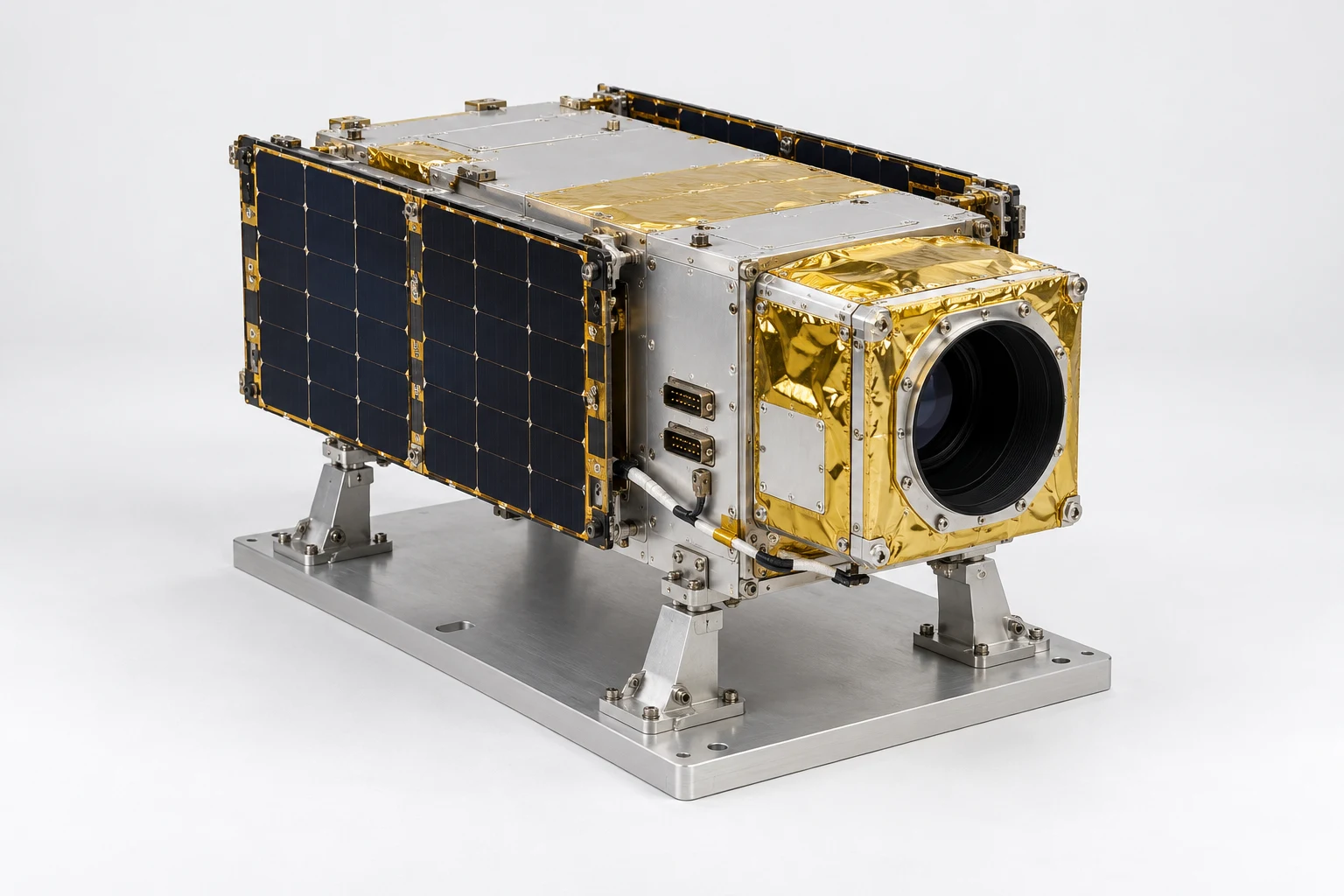 CONCEPT VISUALIZATION
THE OPERATION TO EXPLORE
Payload Readiness Studio
Rehearse payload installation, configuration and checkout before the hardware leaves Earth.
FROM VISUAL INPUT TO REUSABLE CAPABILITY
Give the mission
a place to begin.
The gallery makes the hardware tangible before the reviewed 3D model, procedure and simulation are developed.
Discuss a mission using these assets ↗- 01
Inspect the concept
Review the views and select a consistent set of images for the asset.
- 02
Build and review the model
Generate geometry, then check scale, part identity and interfaces before authoring the task.
- 03
Rehearse, guide and learn
Prepare Genesis and EON Live exercises. Connect accepted procedures to Field-IQ and carry reviewed evidence forward.
About these views
These are AI-generated concept images. The orbit plays eight still images in sequence; it is a visual preview. Requested camera angles are approximate, newly visible surfaces are inferred and details may vary between views. Geometry must be reviewed before reconstruction. These previews do not establish completed 3D models, engineering validation or flight qualification.
Web images are optimised for viewing. Use the original PNG pack for reconstruction work.