
ESV-S07-SOP-01 · MODEL V4 · SIMULATION PROCEDURE
Cold feeder obstruction recovery and reassembly
Rehearse recovering a simulated feeder obstruction with inert material while the plant is cold and unpowered. Isolate the affected path, expose the service area, correct the obstruction state and restore the assembly.
Before the exercise
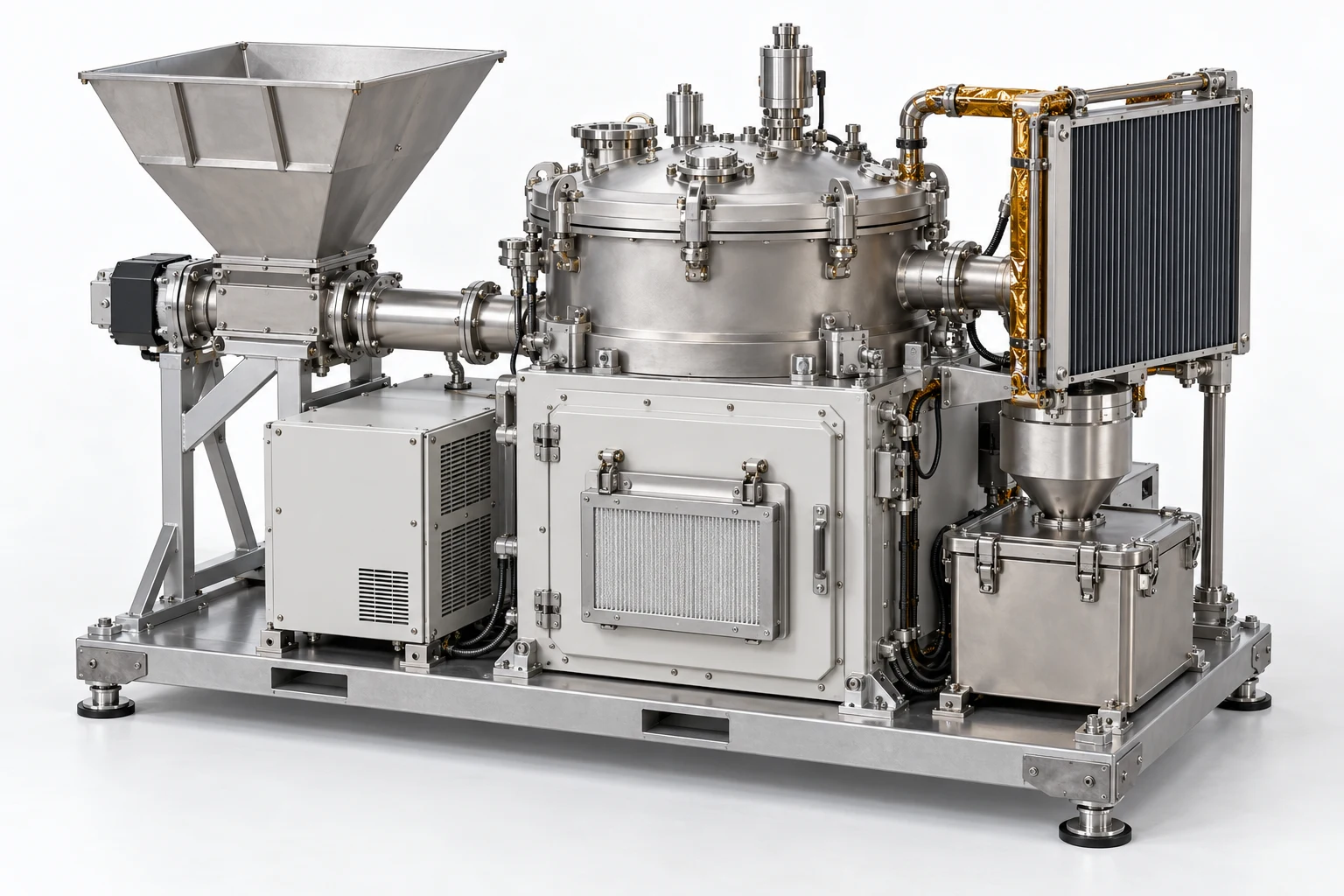
Use the lunar-process-plant concept as a cold, unpressurised training rig. The obstruction and clearance states are exercise data, not generated regolith physics. Supply the access sequence, removable groups, parked poses and restart criteria. Do not connect the exercise to real equipment.
- 01
Identify the affected process path
Trace the feed route from feeder through tube to vessel and identify the fixed skid. Save the baseline configuration.
Check The learner distinguishes the affected route from the outlet path.
feederfeed_tubevesselskid - 02
Establish the cold work state
Read the scenario record confirming cold, unpowered and unpressurised conditions. Place the feeder drive in its disabled training state.
Check Physical appearance is not accepted as evidence of isolation.
main_cabinetaux_cabinetfeeder_drive - 03
Confirm the obstruction finding
Read the supplied obstruction indication and select the feed interfaces that bound the proposed service scope.
Check The fault must be supported by the scenario indication and correct route.
hopper_rimfeederfeed_lower_connection - 04
Resolve the wrong access instruction
Present an instruction naming the collection lid rather than the feeder drive cover. Place a hold and correct the selected access location.
Check Opening the unrelated collection area after the mismatch is a critical error.
feeder_drive_end_covercollection_lidfeeder_drive - 05
Prepare the service access
Preview the authored end-cover removal path, define its parked pose and preserve the adjacent cabinet configuration.
Check Access is blocked until the disabled-drive state and correct cover are confirmed.
feeder_drive_end_coverdrive_flangeaux_cabinet - 06
Remove the feeder cover
Release the exercise cover retention and move the end cover to its parked pose without moving the drive or flange.
Check The intended cover reaches its parked state and adjacent references remain fixed.
feeder_drive_end_coverfeeder_drivedrive_flange - 07
Expose the auger service context
Use the authored service view to identify the auger and tube interface. Confirm the support and withdrawal dependencies in the scenario.
Check Hidden clearances and shaft-removal details must come from author settings.
auger_shaftfeederfeed_tube - 08
Set the obstruction recovery state
Move the permitted service group to its declared access pose and apply the reviewed inert-obstruction recovery action.
Check The obstruction flag clears only after the correct access and recovery sequence.
auger_shaftfeed_lower_connectionfeed_tube - 09
Restore the feed interface
Return the service group and both feed-interface references to their baseline poses and authored retention states.
Check Incorrect orientation or an incomplete interface state prevents closure.
auger_shaftfeed_flange_1feed_flange_2 - 10
Refit the drive cover
Return the cover to its seated pose and restore its configured retention while leaving the drive disabled.
Check The cover pose and retention state must agree before the next stage.
feeder_drive_end_coverdrive_flangefeeder_drive - 11
Request the simulated restart check
Request the exercise checkout result after confirming the route is restored. Keep actual energisation outside this procedure.
Check Use the supplied result; geometry alone cannot establish feed flow or motor health.
feeder_drivefeederfeed_tube - 12
Hand over the recovered feeder
Submit the access correction, obstruction recovery, restored configuration and simulated checkout result for review.
Check The end state is restored, with no unresolved hold or unsupported restart claim.
feederauger_shaftfeeder_drive_end_coverskid
Assessment and completion
Score route identification 20, isolation and access order 25, discrepancy recovery 20, reassembly 20 and evidence 15. Unconfirmed cold state, accessing the wrong area or bypassing cover restoration is a critical stop.
Genesis authoring handoff
Keep obstruction, isolation and checkout results as explicit simulation states. Author cover and permitted service-group transforms; do not infer shaft extraction, material flow, motor torque or live restart behaviour from the mesh. Use external programme records for physical limits.
Use the exact exported model and verify its import and component bindings before generation. This specification has not yet been executed as a Genesis lesson.
For concept-model training and authoring. Real hardware work uses the programme owner’s approved procedures and engineering limits.